Your DWG in. The crew's book out.
Keep drawing in AutoCAD. Place the points with our block kit, upload the DWG, and get every wall drawn for the site, with nothing redrawn by hand.
Before and after
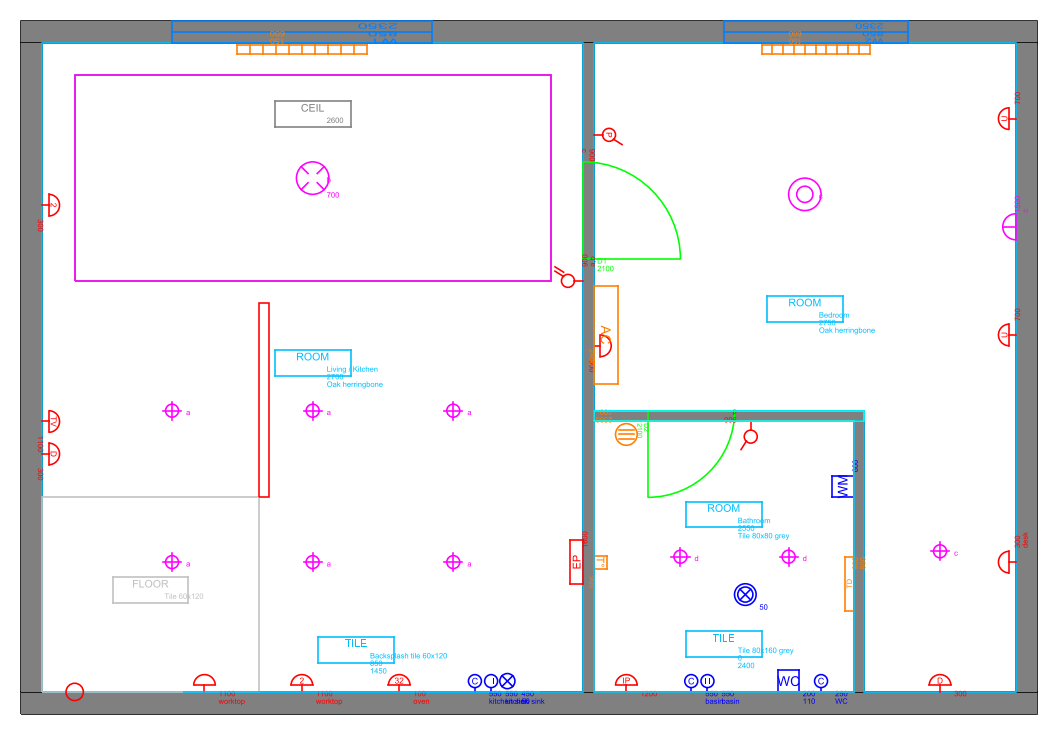
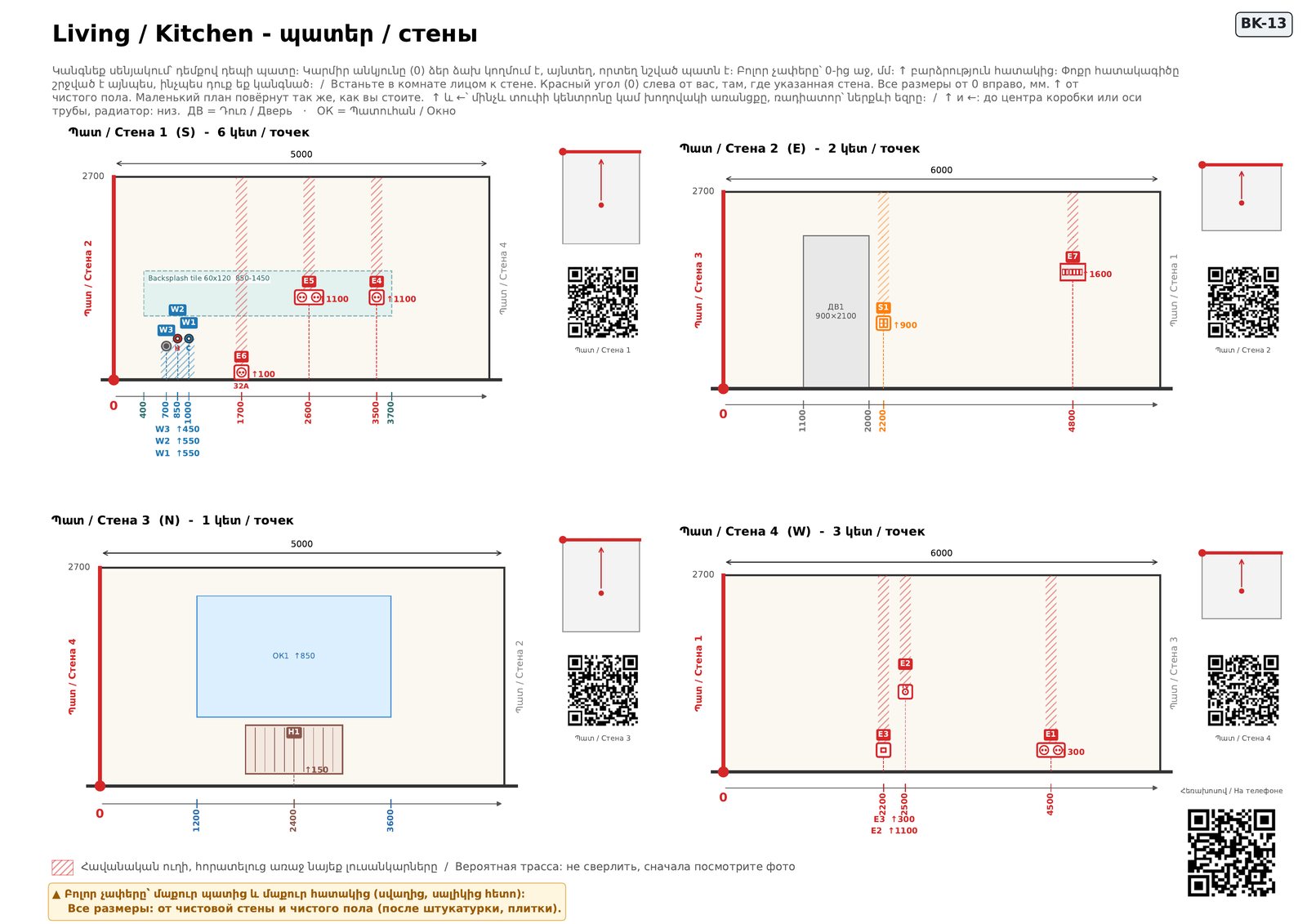
First a free check
Every upload is checked before anything is made: a point with no height, a socket off the wall or outside a room, two doors with the same ID, a switch at a door edge. Errors stop the book; warnings are listed for you to decide. You get the list in your language and a plan with every problem circled.
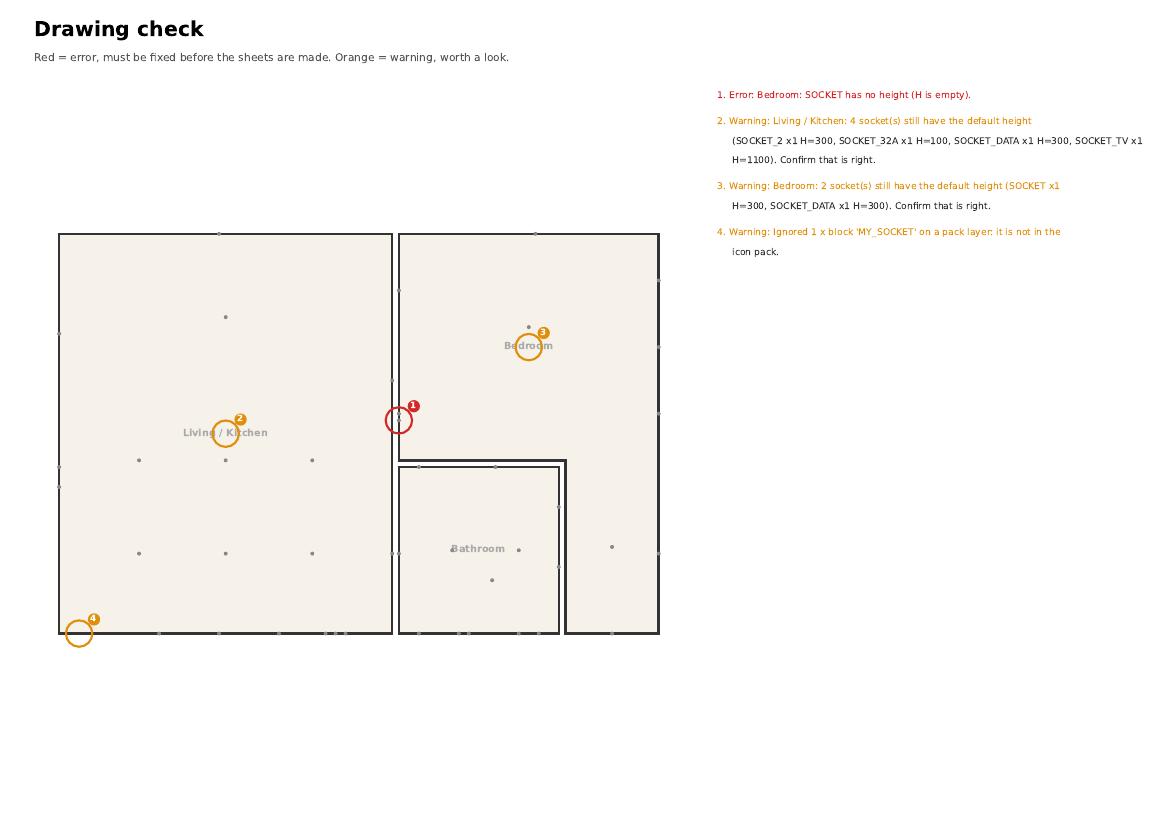
What you get for each version
- A free check that circles every problem
- The worker book (A3): every wall with heights and distances in mm, a QR per wall
- Packs (A4) for the electrician, the plumber and the tiler
- Schedules in Excel and an estimate in AMD
- A change sheet when you upload the next version
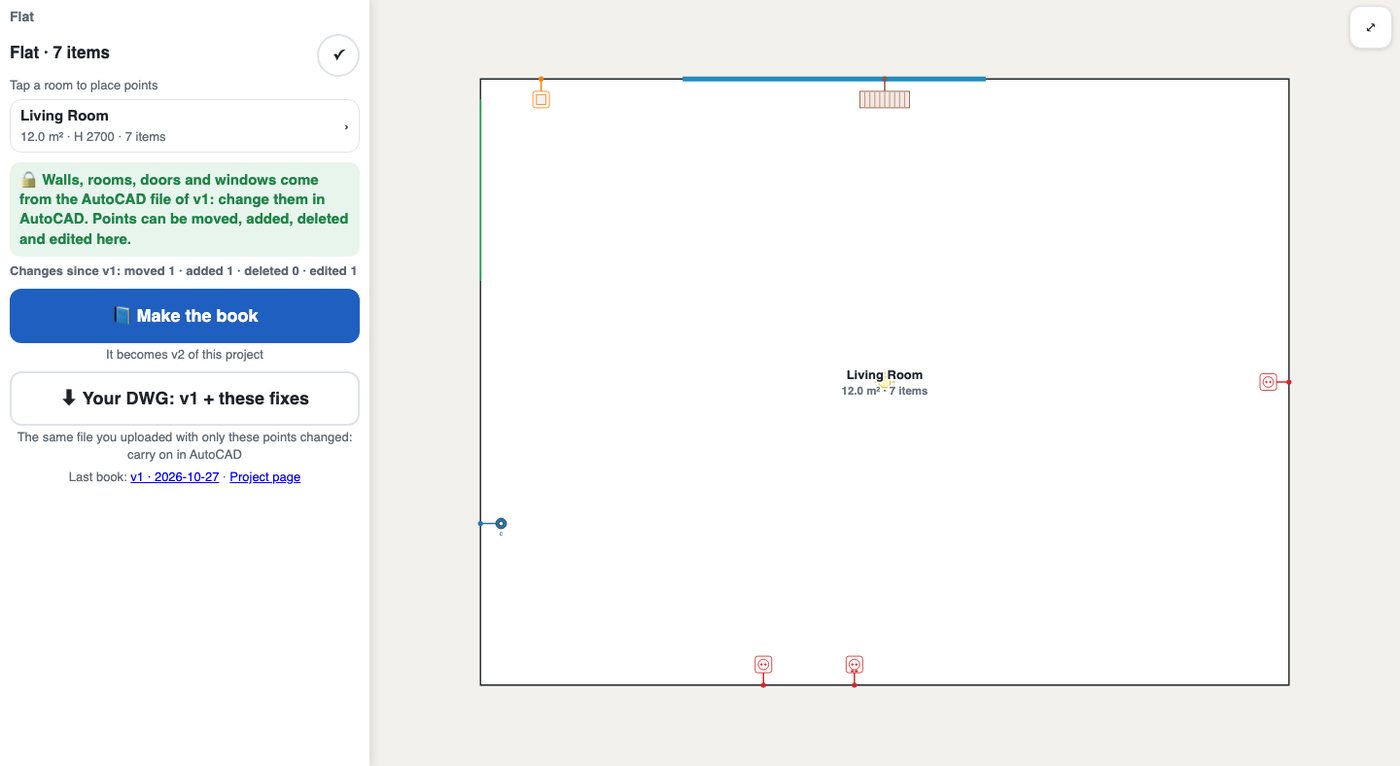
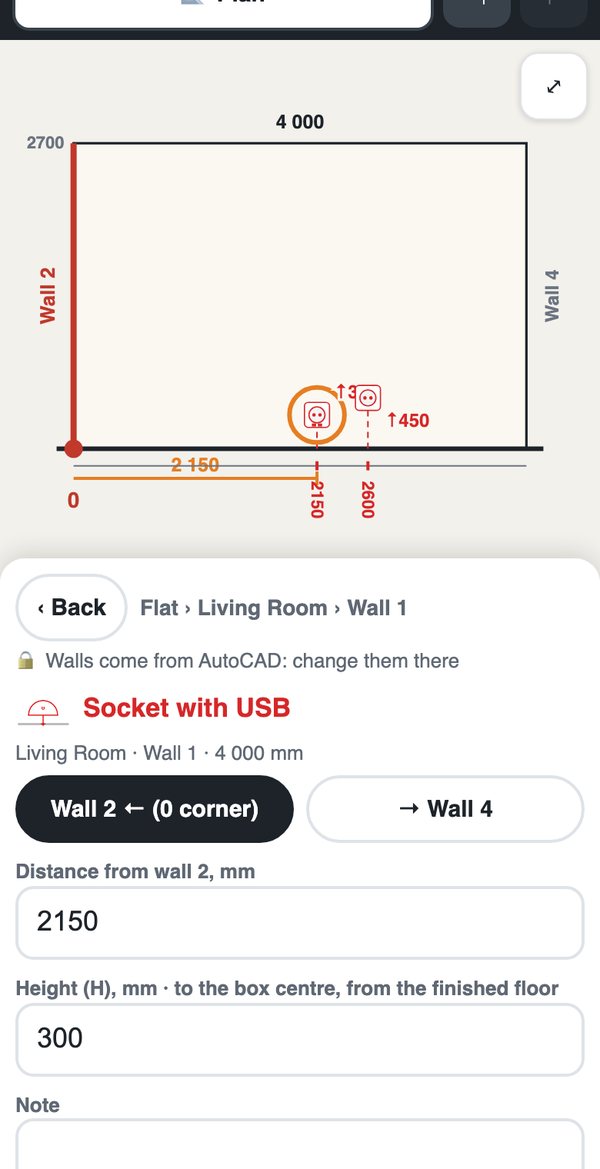
- Small fixes without AutoCAD: move a socket or change a height on the website, then download your own DWG with the fix
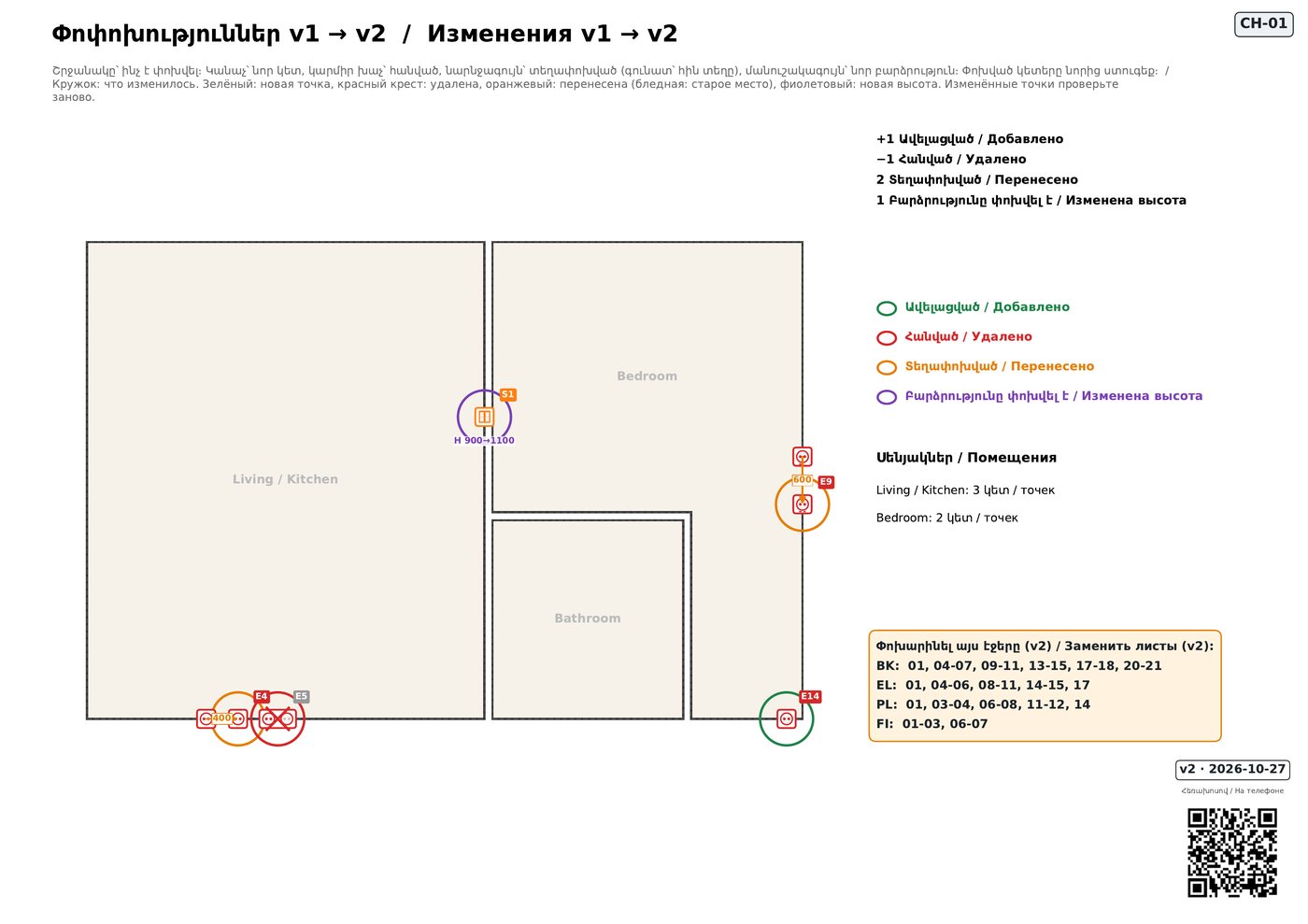
Change the project mid-work
Upload the next version of the same project. You get a change sheet: green added, red removed, orange moved, purple new height, and the list of pages to reprint. Points keep their numbers, done ticks and photos stay on what did not change, and a phone on an old page sees a red “outdated” banner.
A small fix without AutoCAD, and your own DWG back
On site, on a phone: move a socket, change a height, add a point. The website makes the next version with its change sheet. “Download DWG” gives back the file you uploaded with only those points changed, so you carry on in AutoCAD. If you upload an older file later, you are warned which website fixes it lacks.
And an estimate in AMD from the same count
Every point, m² and metre of the drawing with labour and material prices. Edit any price, add your markup, give the client a PDF or an Excel file. It opens from your project page after the first upload.