Draw as usual. Your crew gets every wall in millimetres.
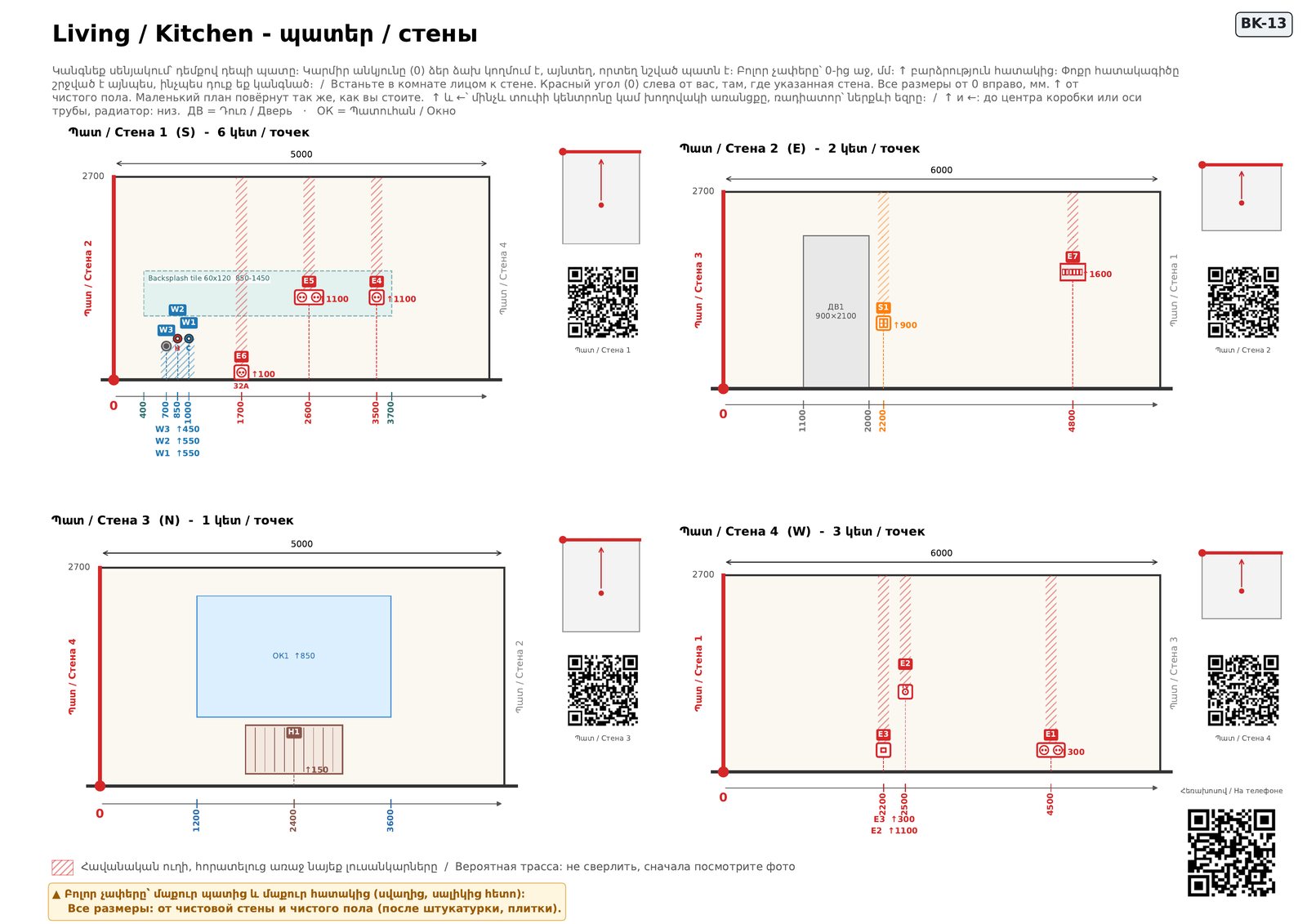
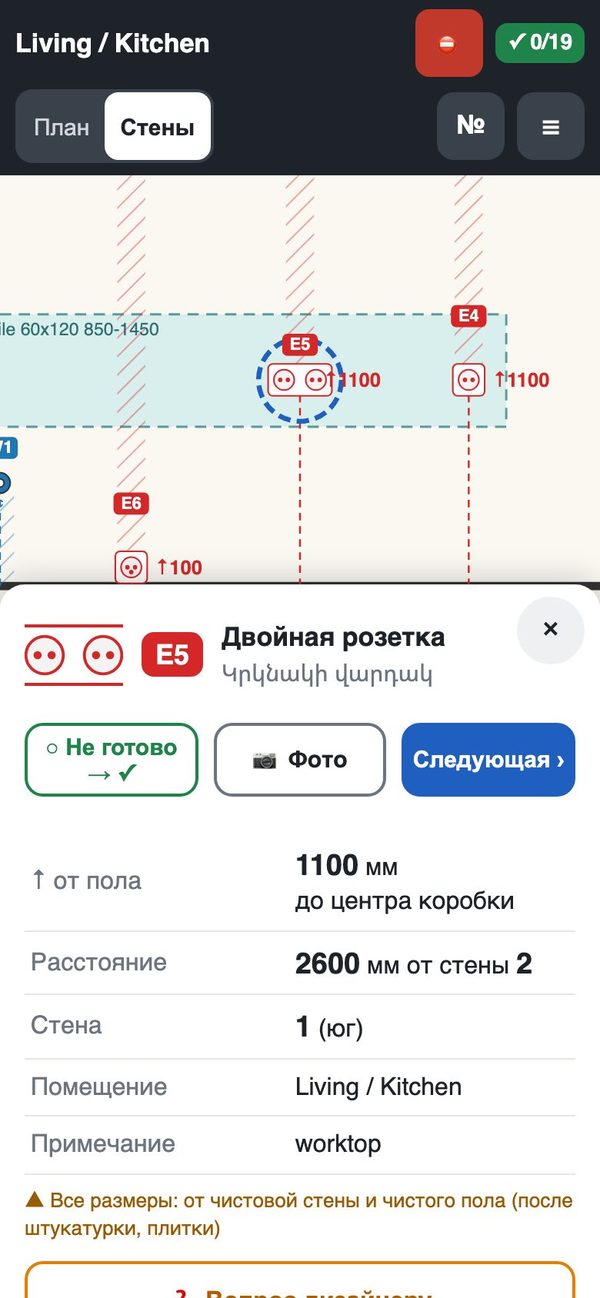
Upload your AutoCAD drawing and in about two minutes you have the book for the site: a numbered plan, every wall with the height and distance of each socket, switch and pipe, packs for the electrician, the plumber and the tiler, and a QR on every page that opens the same wall on the crew's phone.
A free pilot: the service is in testing.
The calls you stop getting
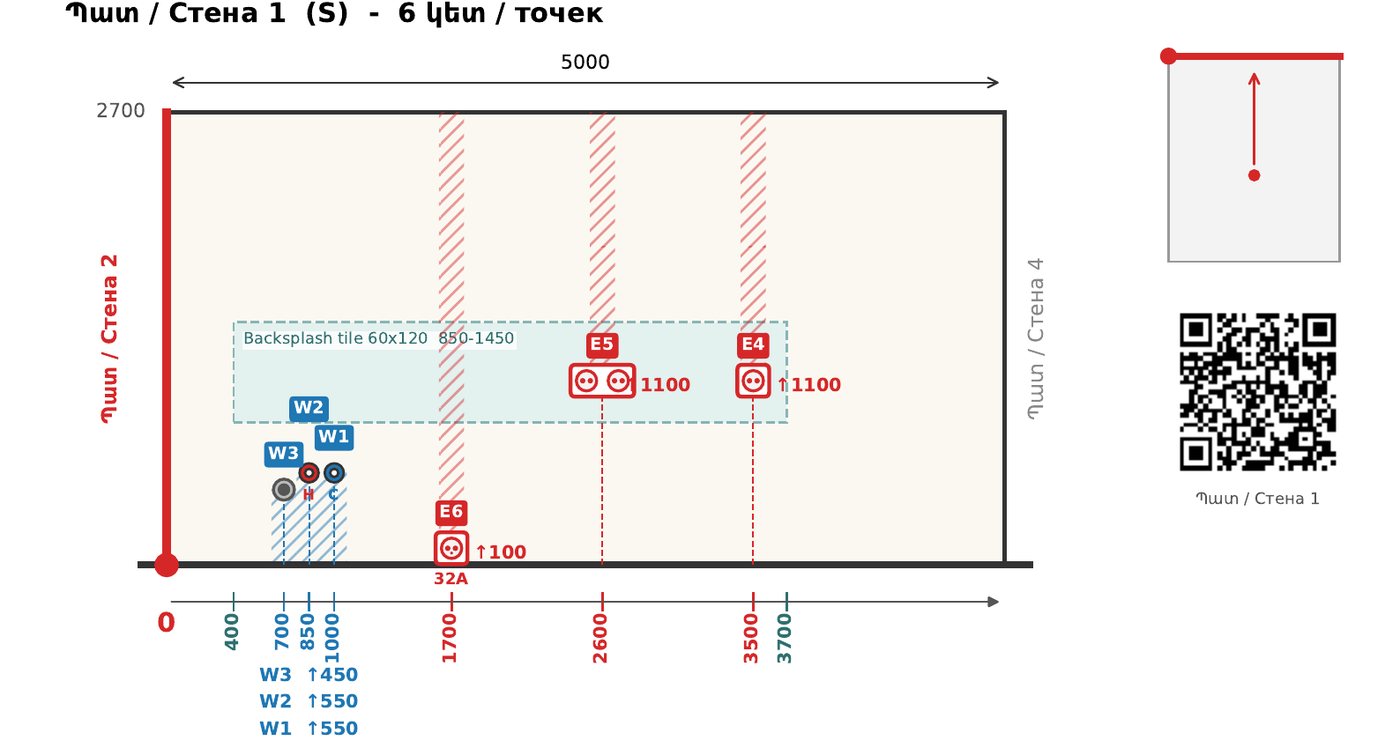
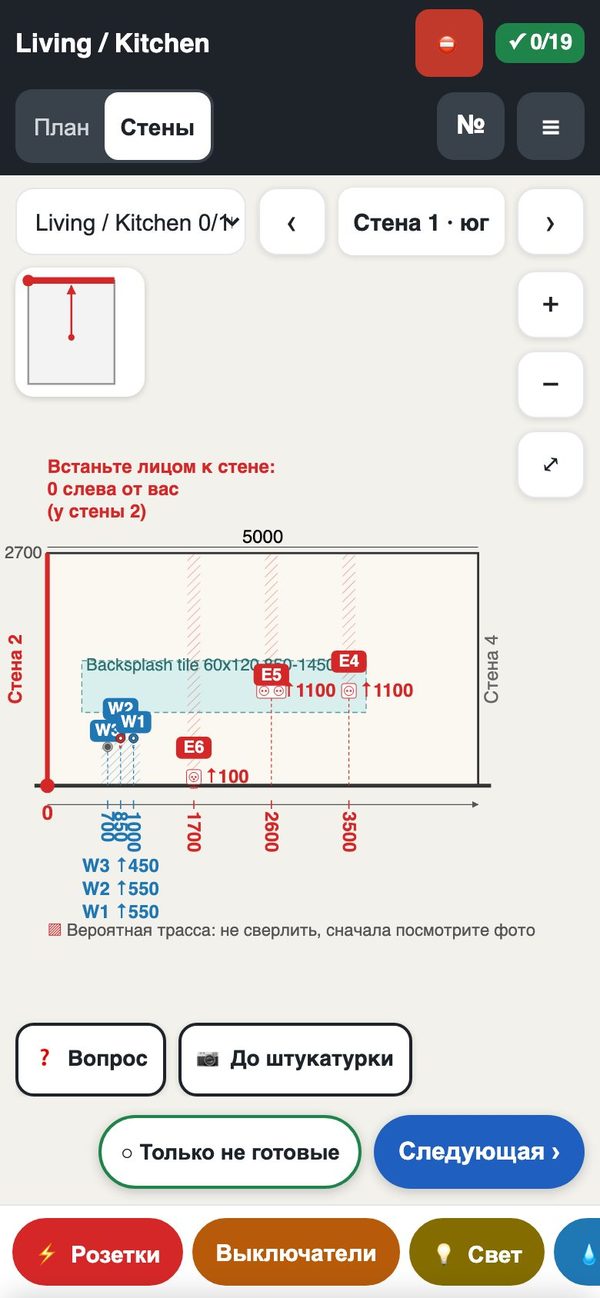
- “What height is this socket?”Every point is on its wall with H and the distance from the red 0 corner. The electrician stands facing the wall and reads it.
- “Which drawing is the latest?”Each upload is a numbered version. An old page on the phone says so in red and opens the latest one.
- “Can we plaster the bathroom?”The room turns green only after the rough-in is ticked, the walls are photographed and you approve, from your phone.
You keep AutoCAD. You add one block kit.
Walls, furniture, your own blocks and sheets stay as they are. Sockets, switches, lights, water and heating are placed with our blocks from one picture menu (the DL command). Each block lands on its layer, faces the room and asks for its height. That is the whole change.
- AutoCAD 2013 or newer, one AutoLISP file, no installer
- 35 blocks: sockets, switches, lights, water, drains, heating, air, doors, windows, room tags
- DL_CHECK in AutoCAD finds a missing height or a point off the wall before you upload
What the crew gets
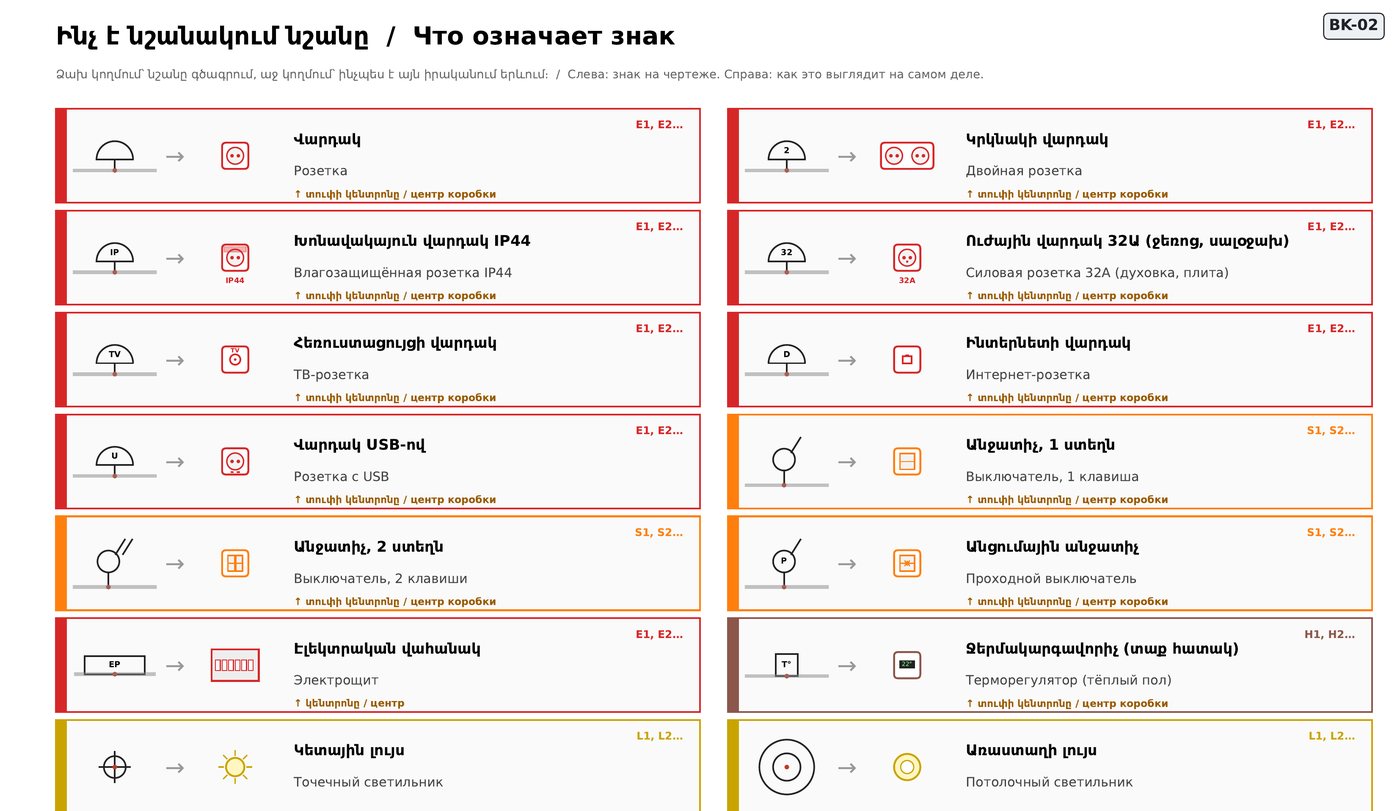
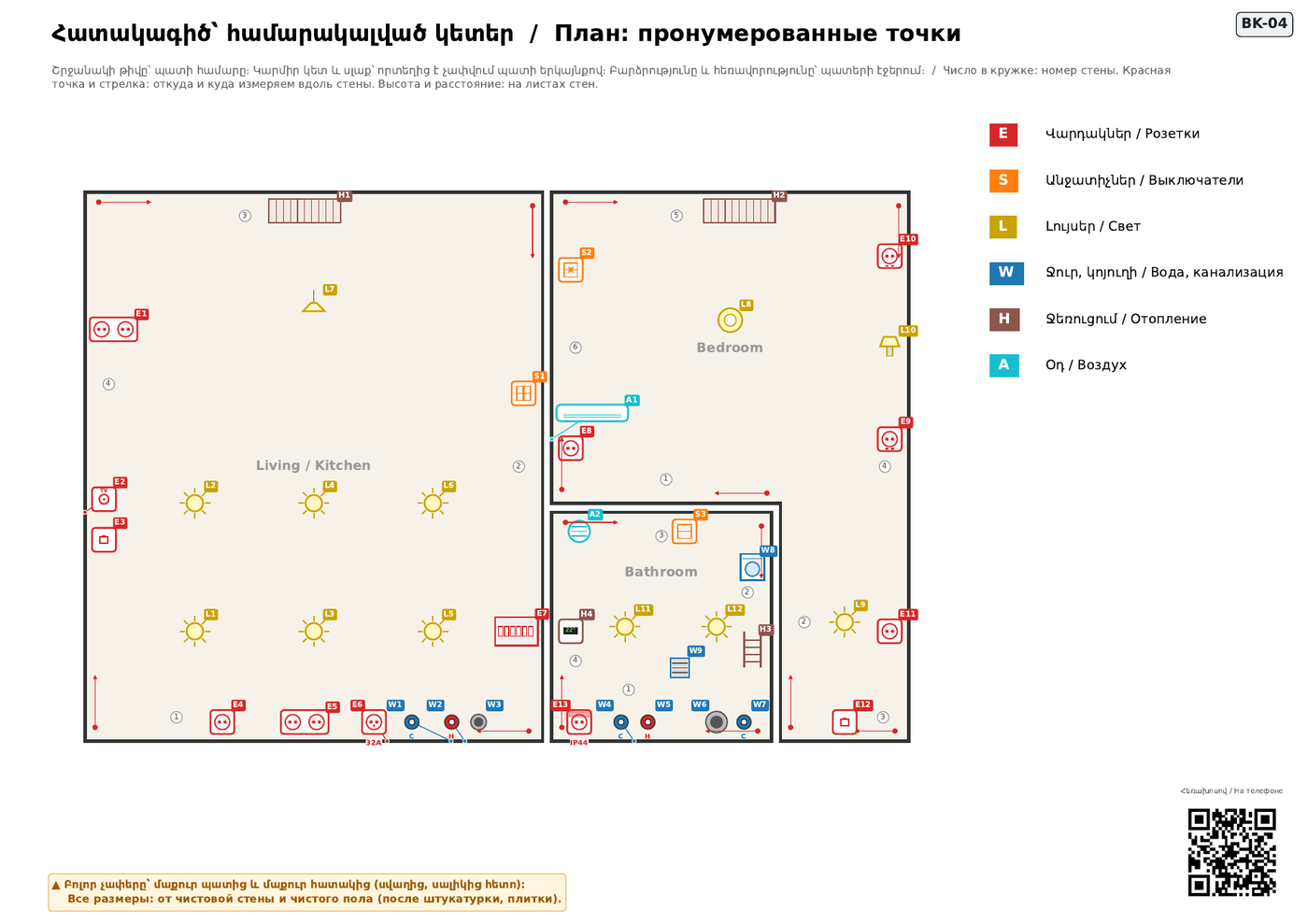
Real pages of the demo flat, made by the same code that will read your drawing. Crew pages are in Armenian and Russian.
Three ways in, one project
Use one or all three. A drawing moves between them both ways and the site app always shows the latest version.
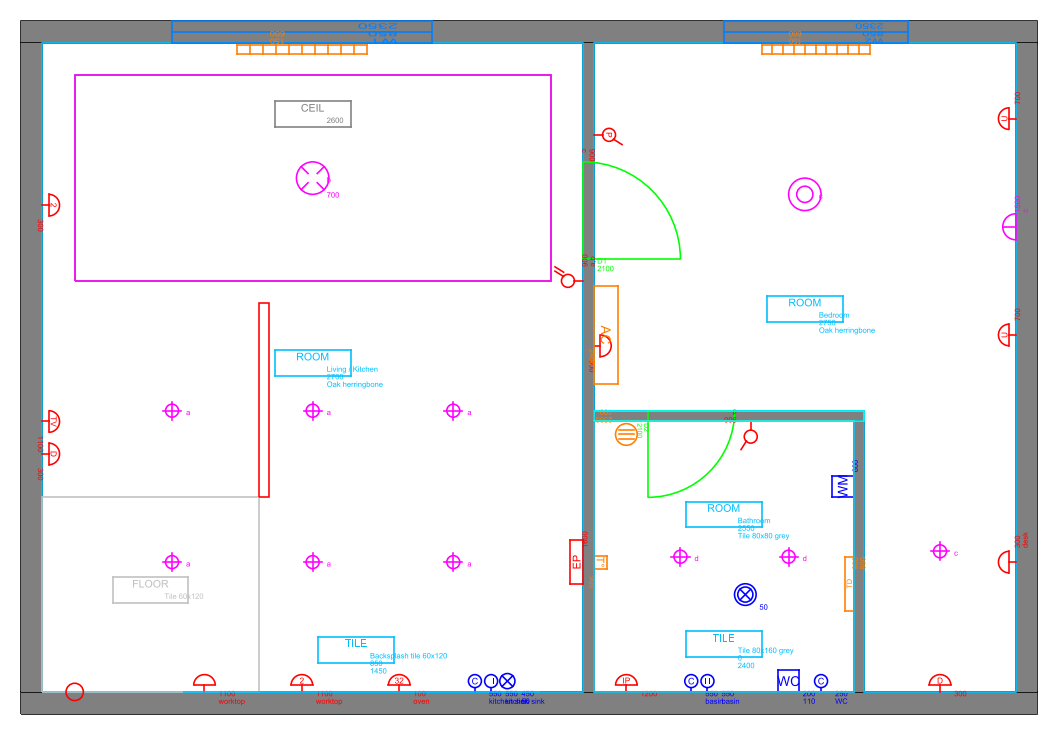
From AutoCAD
You draw in AutoCAD with our kit and upload the DWG. The check is free; the book, packs, schedules and estimate follow.
More about it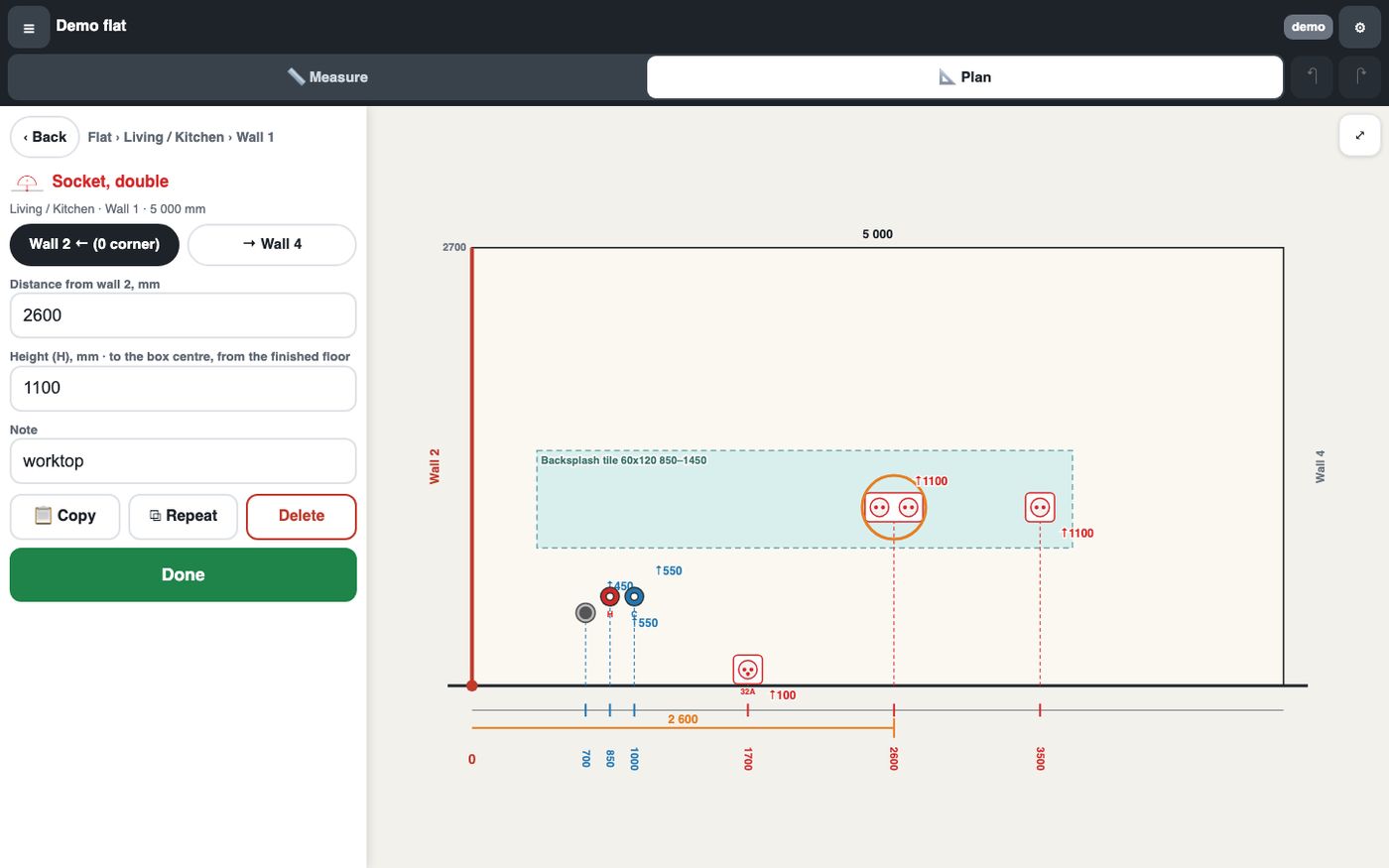
Web planner
No AutoCAD at hand: measure the flat on a phone, mark the points on a computer, make the same book. Or fix a socket in your uploaded DWG and download it back.
More about it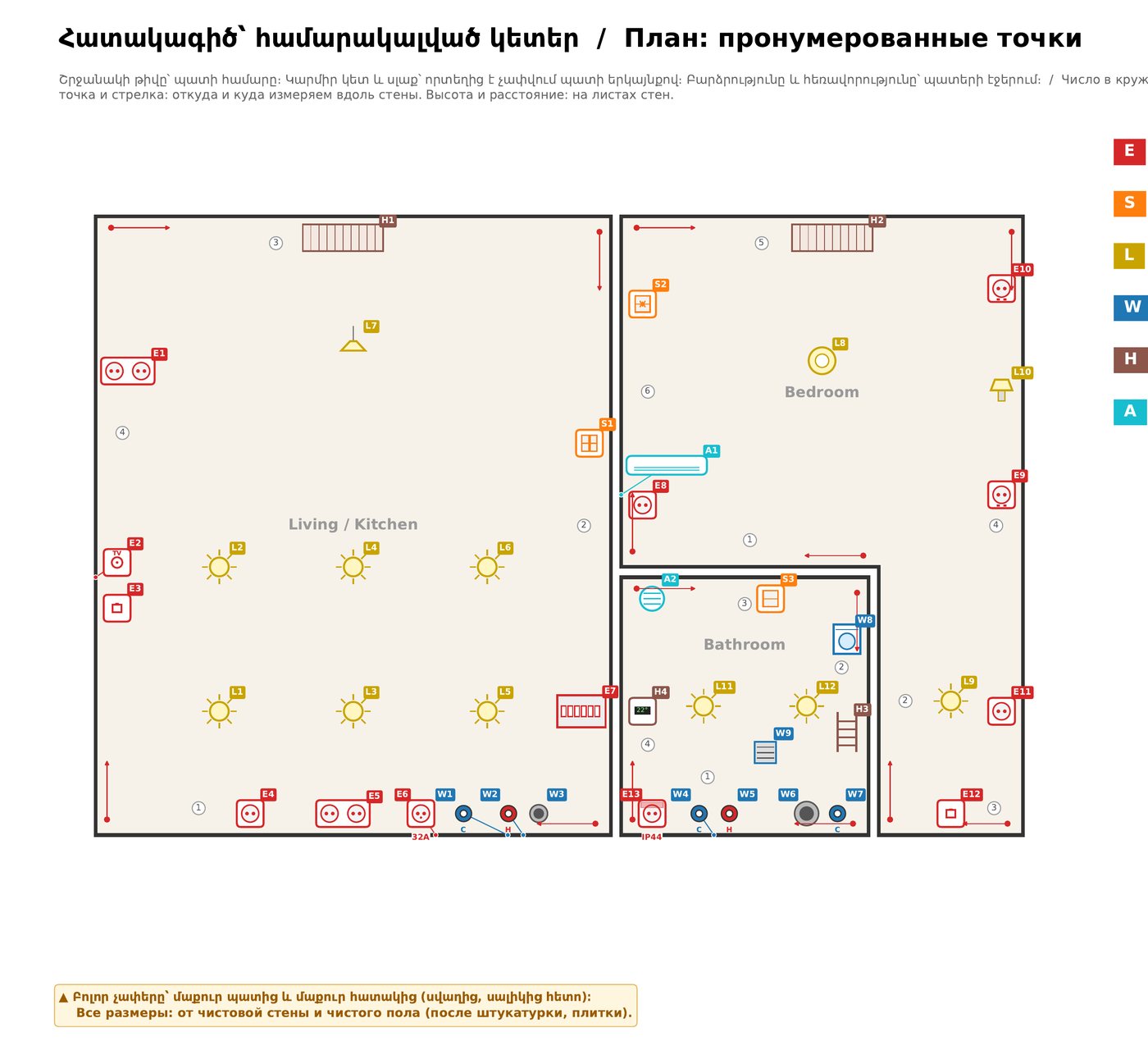
Site app
The QR on each page opens that wall on the crew's phone. They tick, photograph and ask; you approve rooms; your client follows progress on their own link.
More about itEasy to try, easy to leave
- The check is freeUpload a DWG and see every problem circled on your plan before anything is made.
- No accountsLinks instead of logins. The crew and the client never sign up.
- Your DWG stays yoursFixes made on the website come back as your own file, with only those points changed.
- No guessingNo AI reads your drawing. A script reads the blocks exactly: the same drawing gives the same book.
A free pilot for the first designers
Bring one real flat that starts soon. We install the kit with you, check the first drawing together and watch your crew use it on site.