Upload your DWG. The check is free
Draw in AutoCAD with our kit and upload the file. In a minute or two you see every error and warning; with no errors one button makes the book, the trade packs and the crew's phone view.
Upload and check
First we only check the drawing (free). If there are no errors, you press one button and get the sheets.
What you get back
- A check report: what must be fixed (errors) and what to look at (warnings)
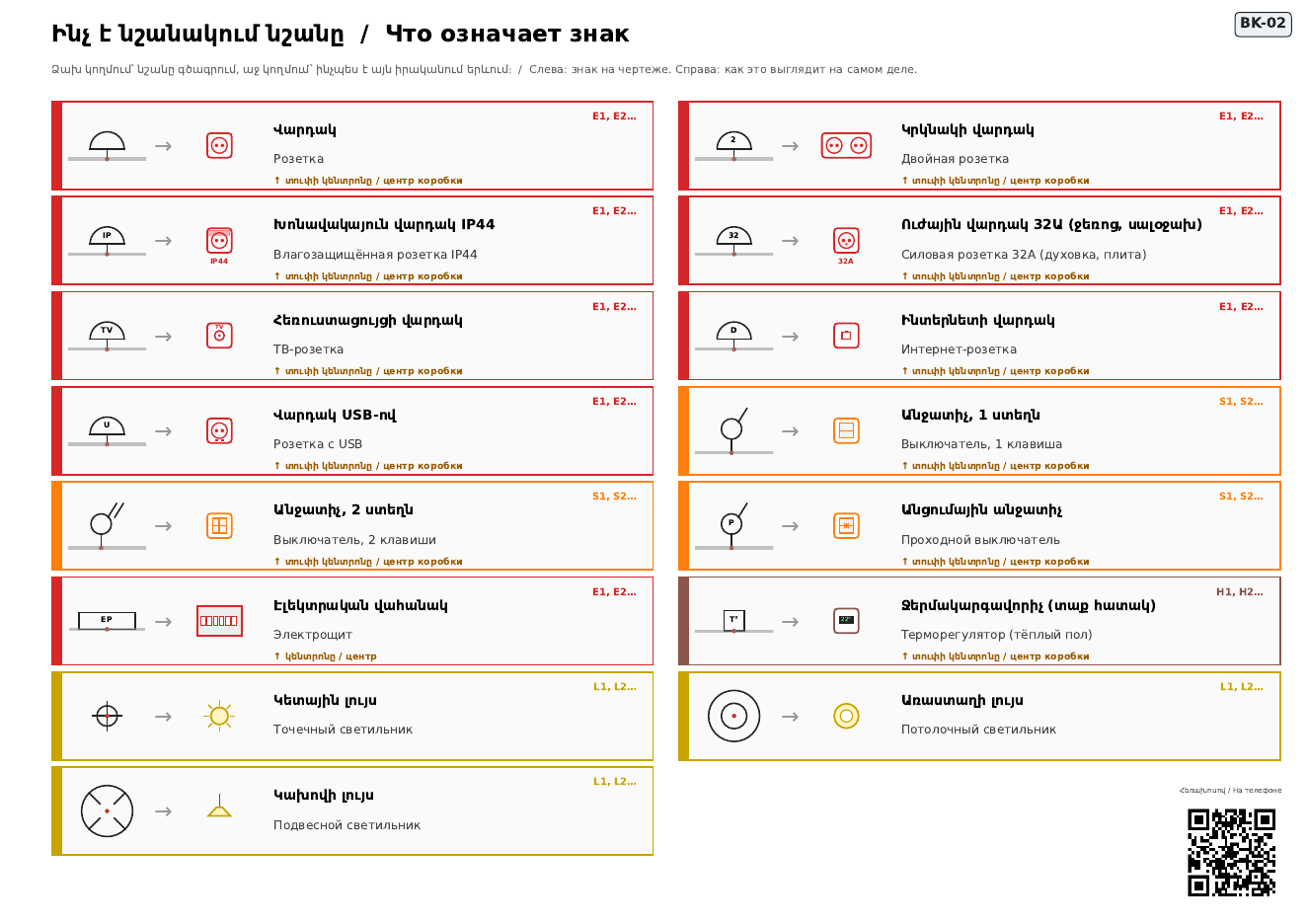
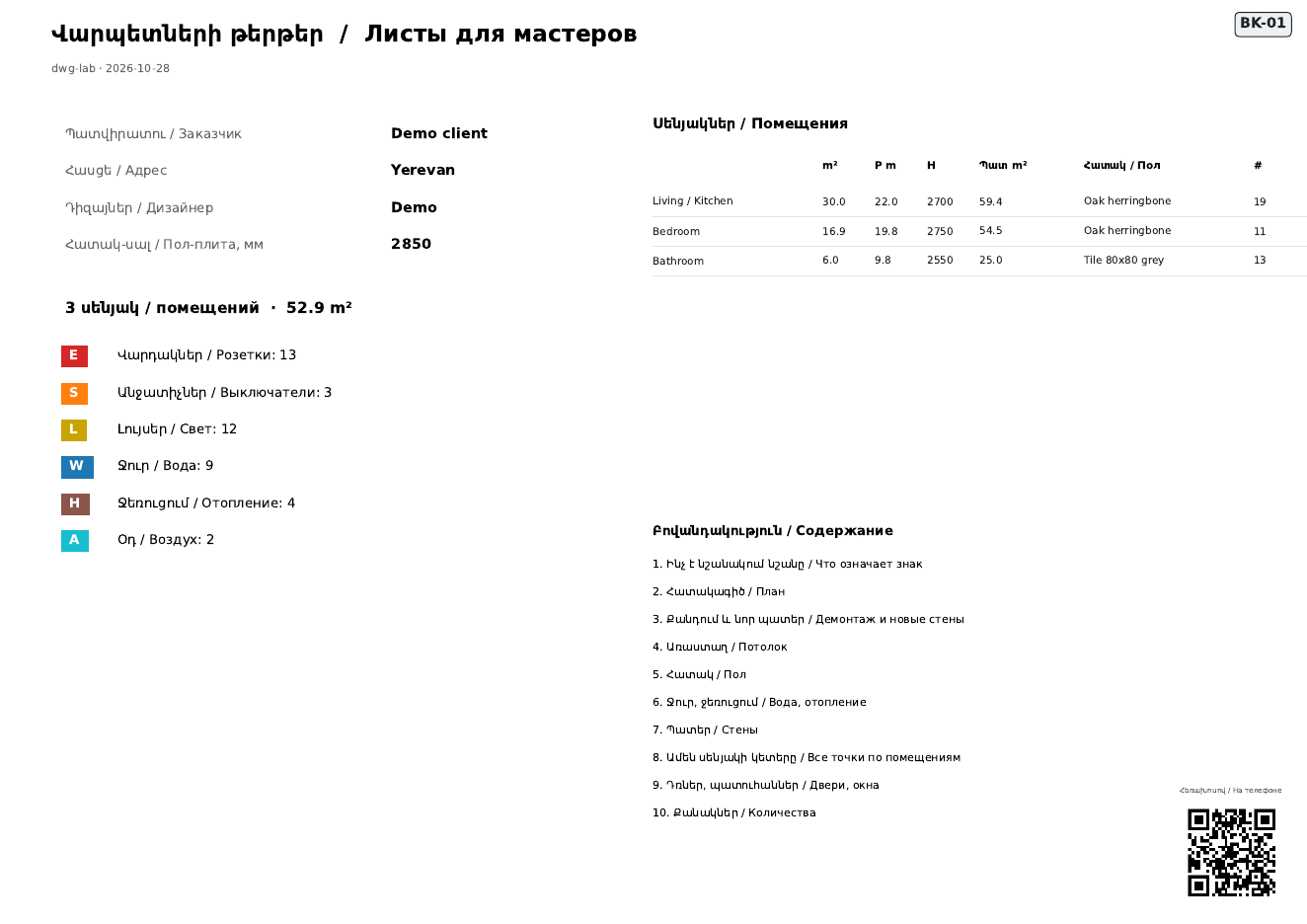
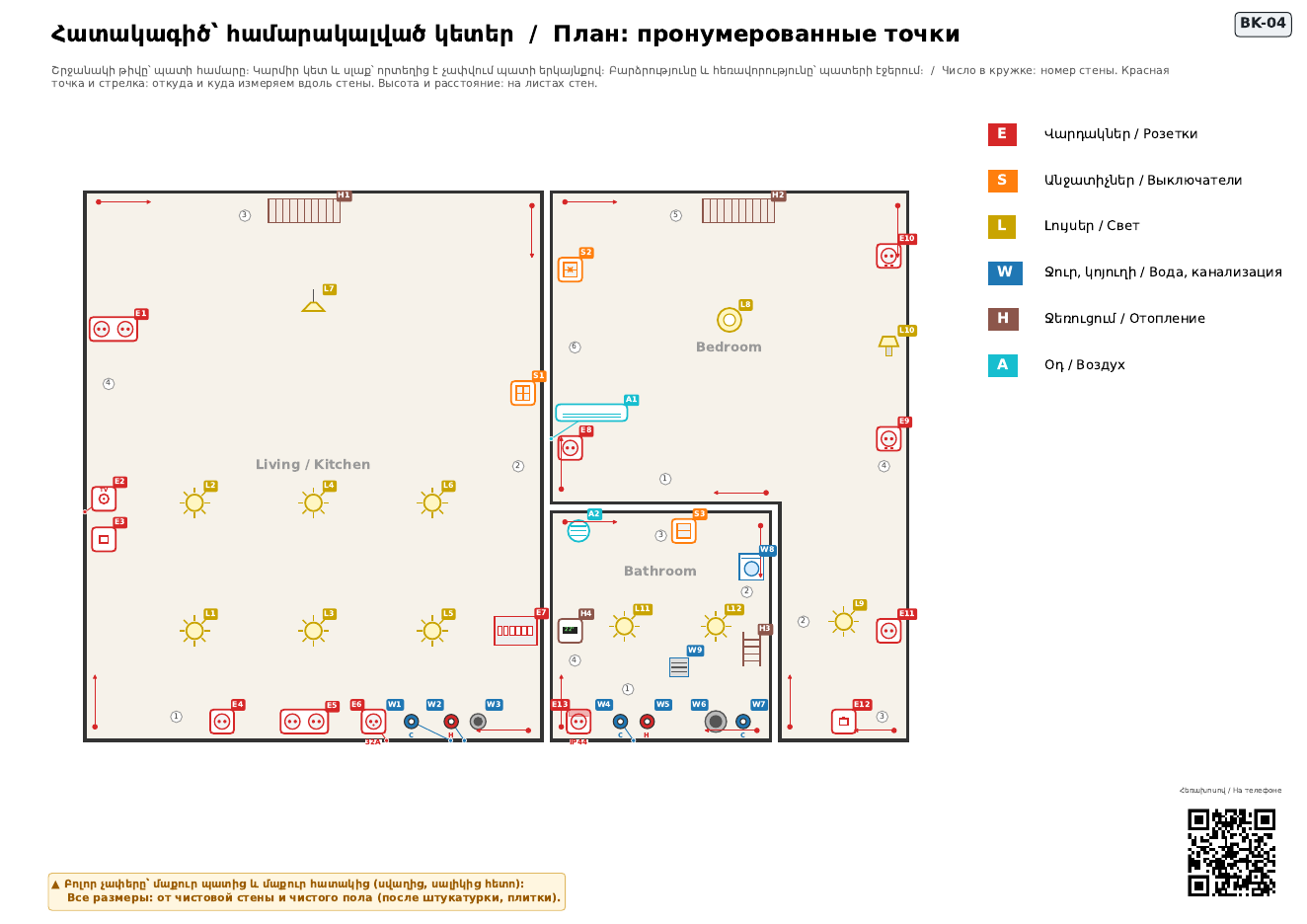
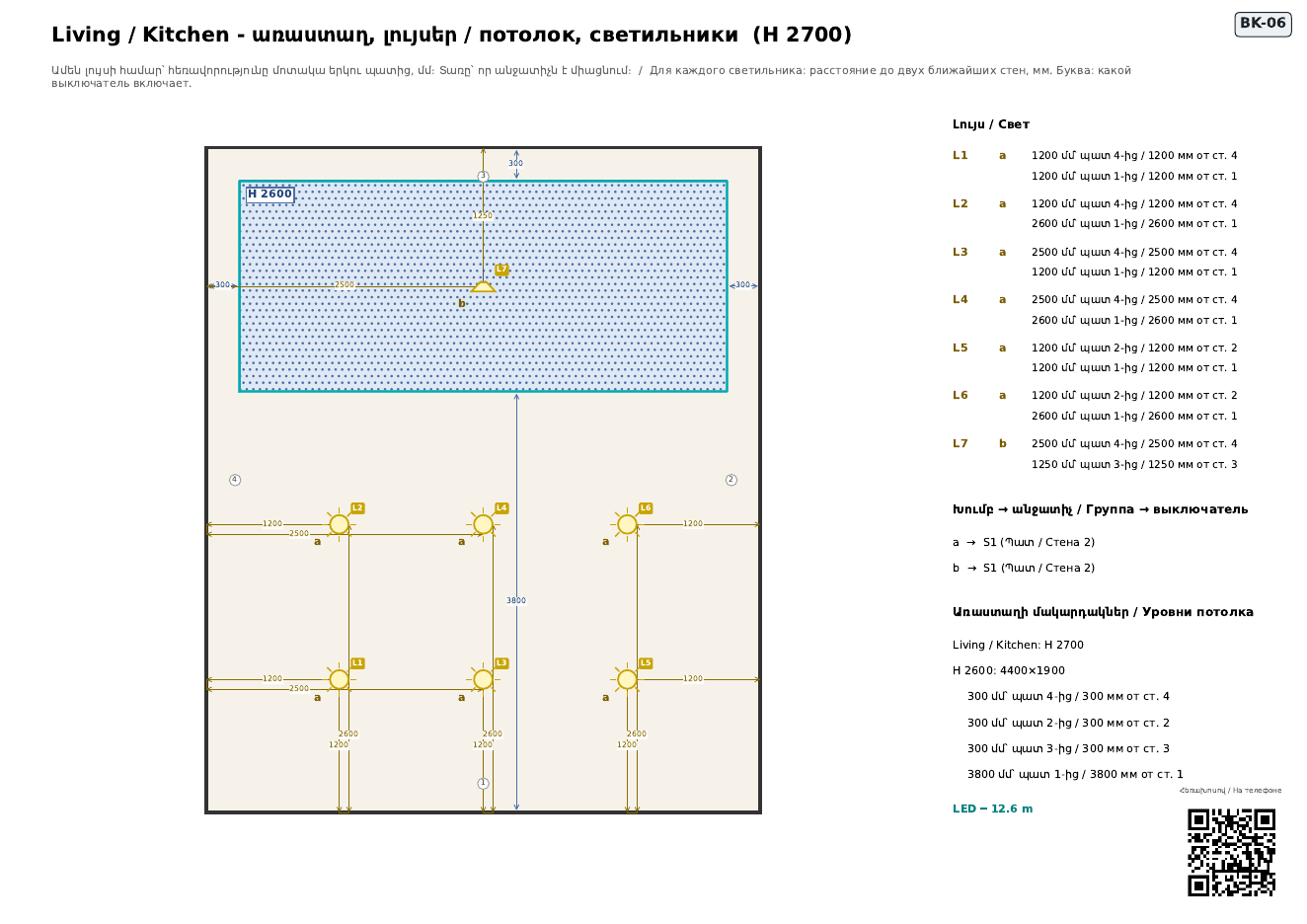
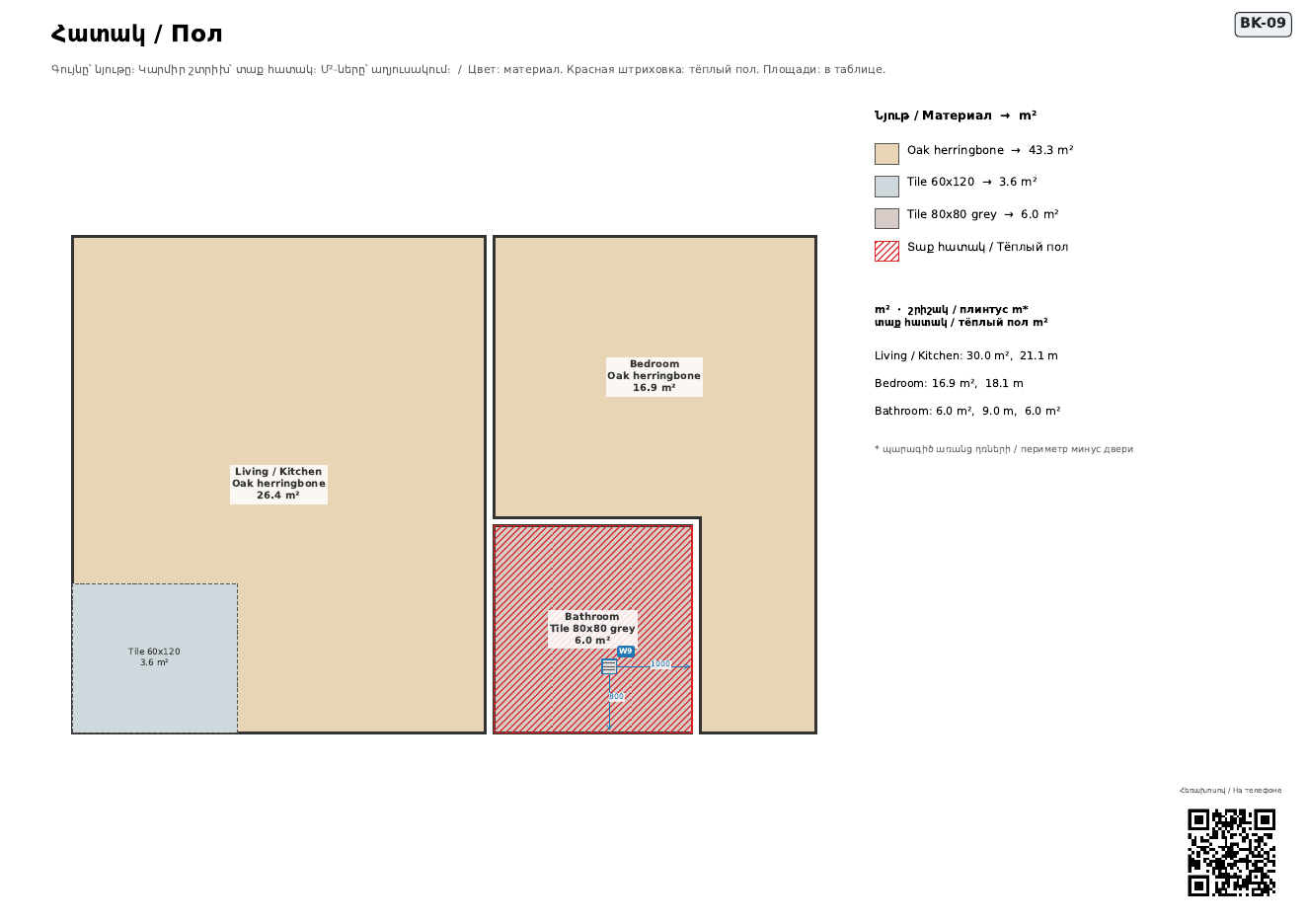
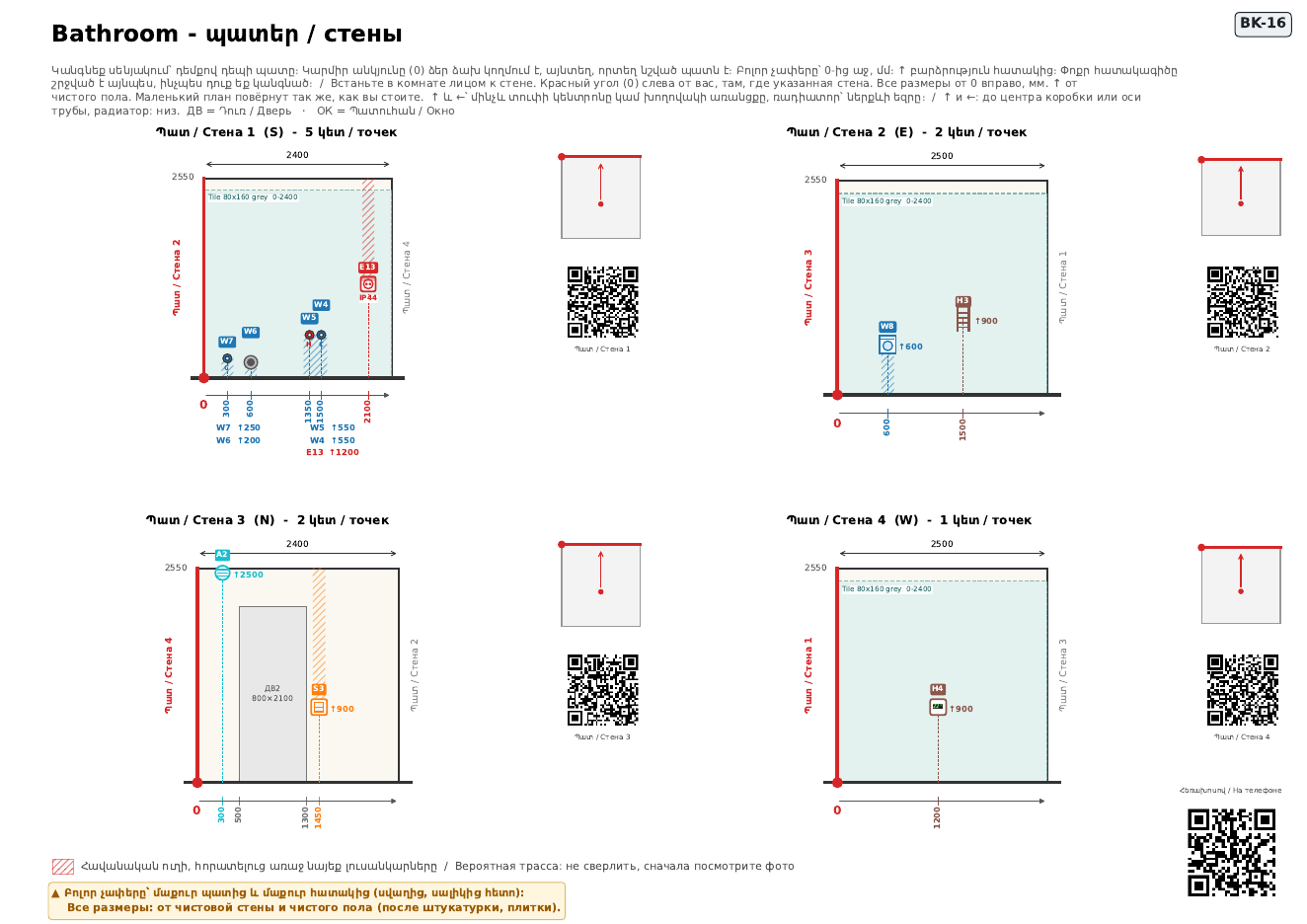
- Worker sheets (PDF): legend with pictures of the real objects, numbered plan, every wall with heights and distances
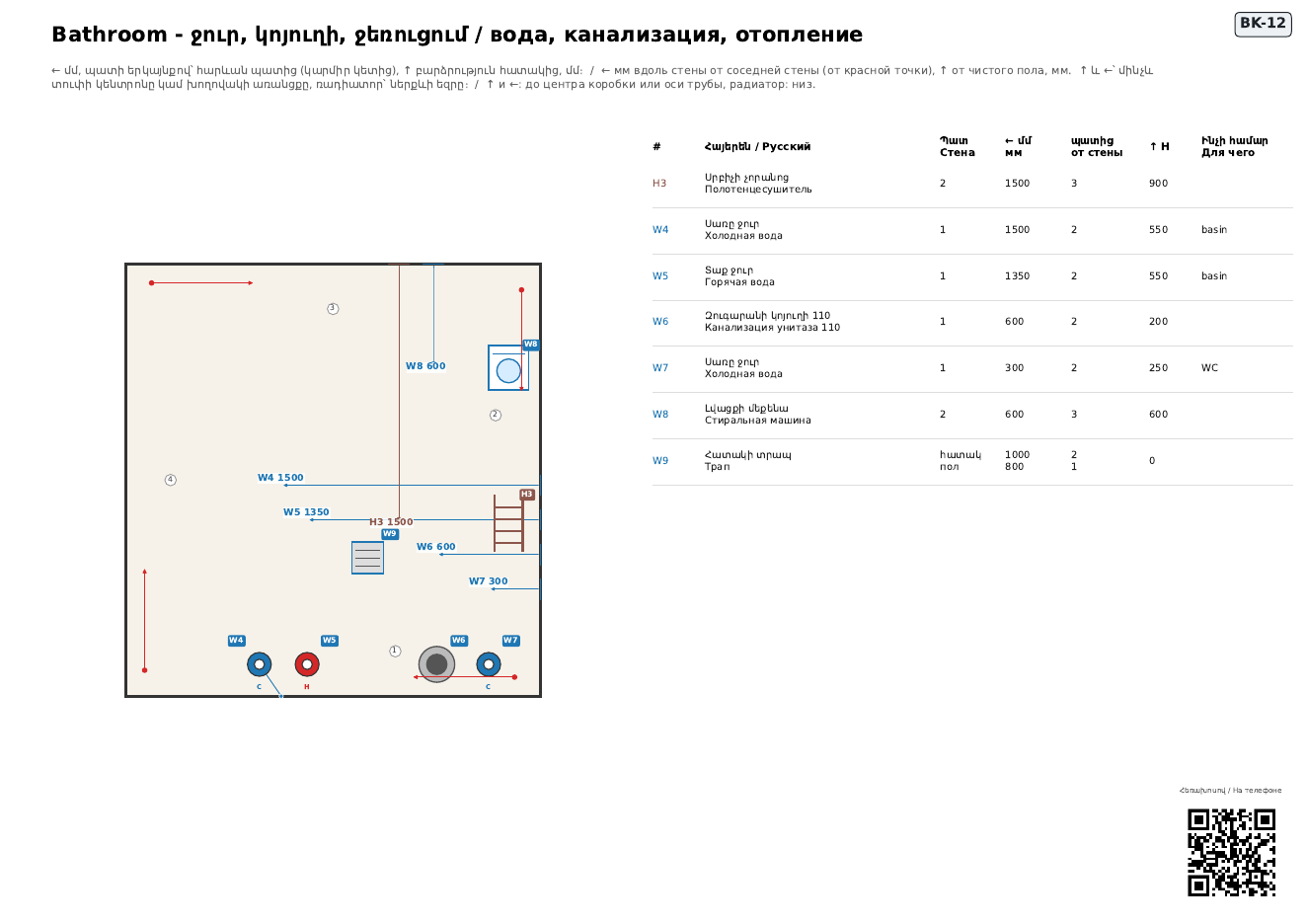
- Excel: rooms (areas, perimeters, wall m²), electrical, lighting, plumbing, heating, doors and windows
Download the kit
DWGLAB_KIT.zipDWTTemplate: start every new drawing from it (mm, all pack layers and blocks, empty)
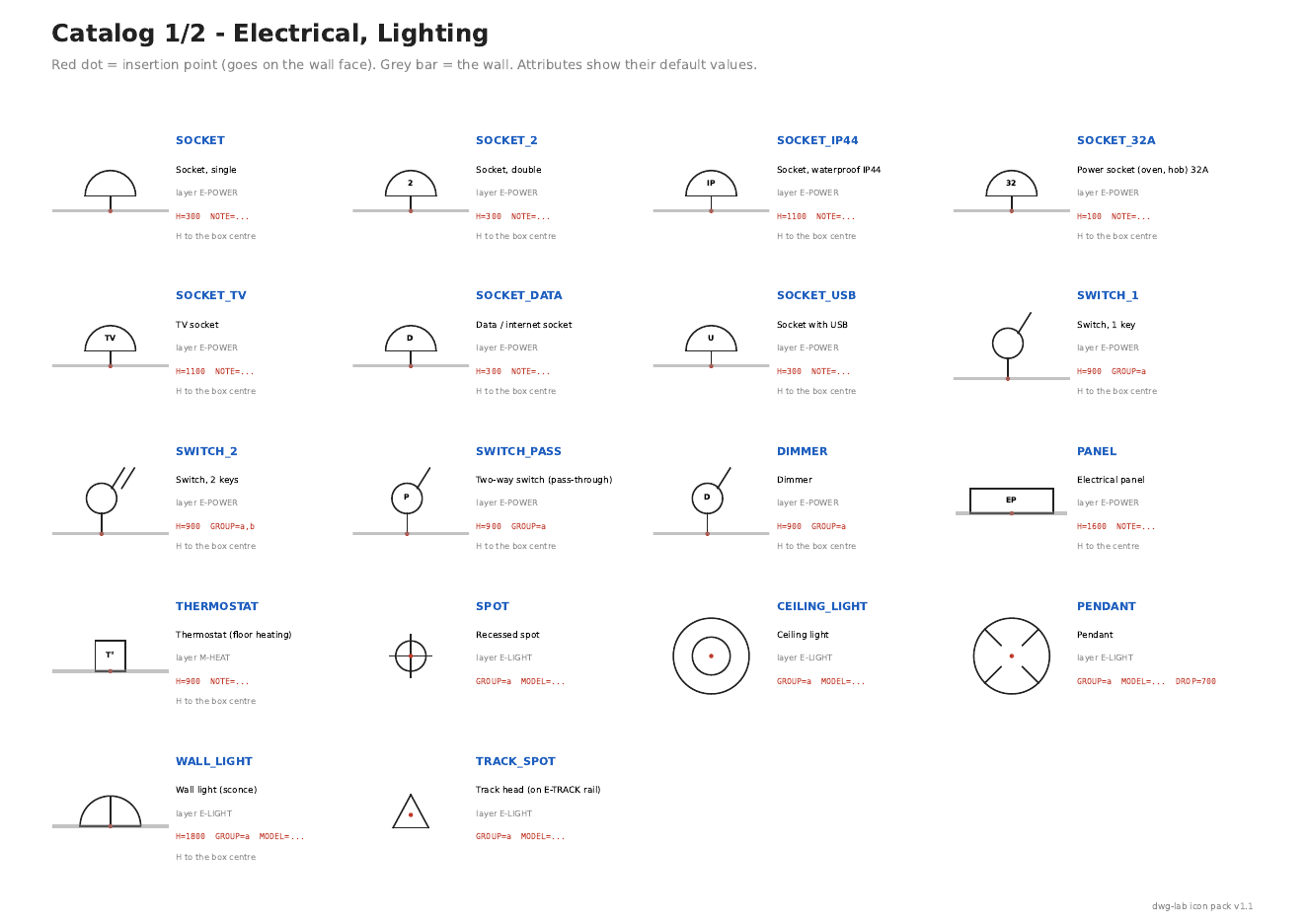
DWGLAB_ICONPACK.dwtPDFGuide: rules, all icons, layers, example (PDF, 7 pages)
ICONPACK_GUIDE.pdfLSPAutoLISP tools for AutoCAD 2021+: DL picture menu, DL_SOCKET, DL_ROOM, DL_CHECK... (prompts EN / RU)
DWGLAB.lspLSPThe same tools for AutoCAD 2013-2020 (prompts in English)
DWGLAB_EN.lspPDFInstall the tools + first room in 5 commands (PDF, EN / RU / HY)
DWGLAB_INSTALL.pdfDWGBlock library with a legend sheet (copy blocks from it, or make a DesignCenter tool palette of it)
DWGLAB_ICONPACK.dwgZIPBlock icons, PNG 128 px (for your own palette)
DWGLAB_ICONS.zipDWGExample flat drawn with the pack (has 2 mistakes on purpose)
demo_flat.dwgPDFWhat the crew gets from that example (PDF)
WORKER_SHEETS_demo.pdfXLSXSchedules from that example (Excel)
demo_flat_schedules.xlsx
Older AutoCAD? DXF versions: DWGLAB_ICONPACK.dxf · demo_flat.dxf
Draw with the pack - the rules
- Draw in model space, 1 unit = 1 mm.
- Use only blocks from the pack for sockets, switches, lights, water, heating, doors and windows. Don't rename or explode them.
- Each room: one closed polyline on layer A-ROOM and one ROOM_TAG inside it (name, ceiling height in mm, floor material).
- One PROJECT block anywhere: SLAB = floor-to-slab height in mm.
- Wall points (sockets, switches, water, radiators): put the block's base point on the wall face and rotate it so it points into the room. That is how the script knows which wall it is on.
- H = height above the finished floor, mm, to the box centre (sockets, switches), the pipe axis (water, drains), the bottom edge (radiator), the centre (panel, AC, vent). Defaults are filled in - change only what differs. The floor build-up (screed + finish) is entered here on the portal, not in the drawing.
- A light and the switch that controls it get the same GROUP letter (a, b, c...). A 2-key switch: a,b.
- Doors: scale to width / 900. Windows and radiators: stretch along X to the real length.
- A ceiling or floor that differs inside a room: closed polyline on C-CEILING / F-FLOOR with a CEIL_TAG / FLOOR_TAG inside. LED strips and track rails: polyline on E-LED / E-TRACK.
- Wall tiles: a polyline on W-TILE along the wall face and a TILE_TAG next to it (material, FROM and H = from/to height). Walls to remove / to build: closed polylines on A-DEMO / A-NEW.
- Your own layers and blocks (furniture, hatches, notes) are fine: the script ignores them and lists what it ignored.
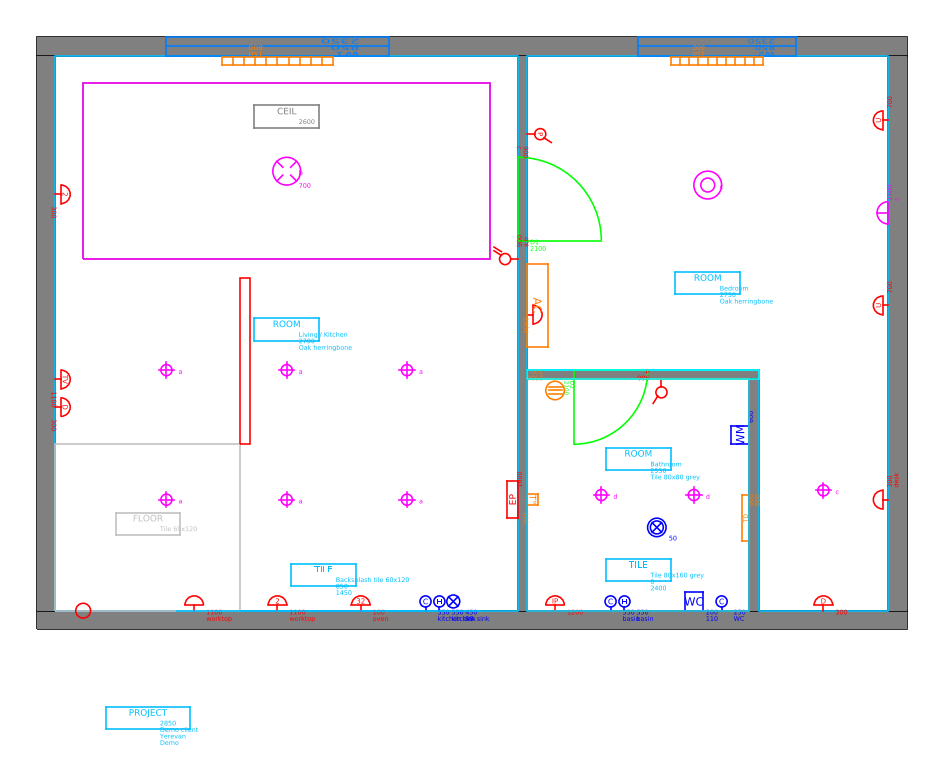
Example: what you upload and what you get
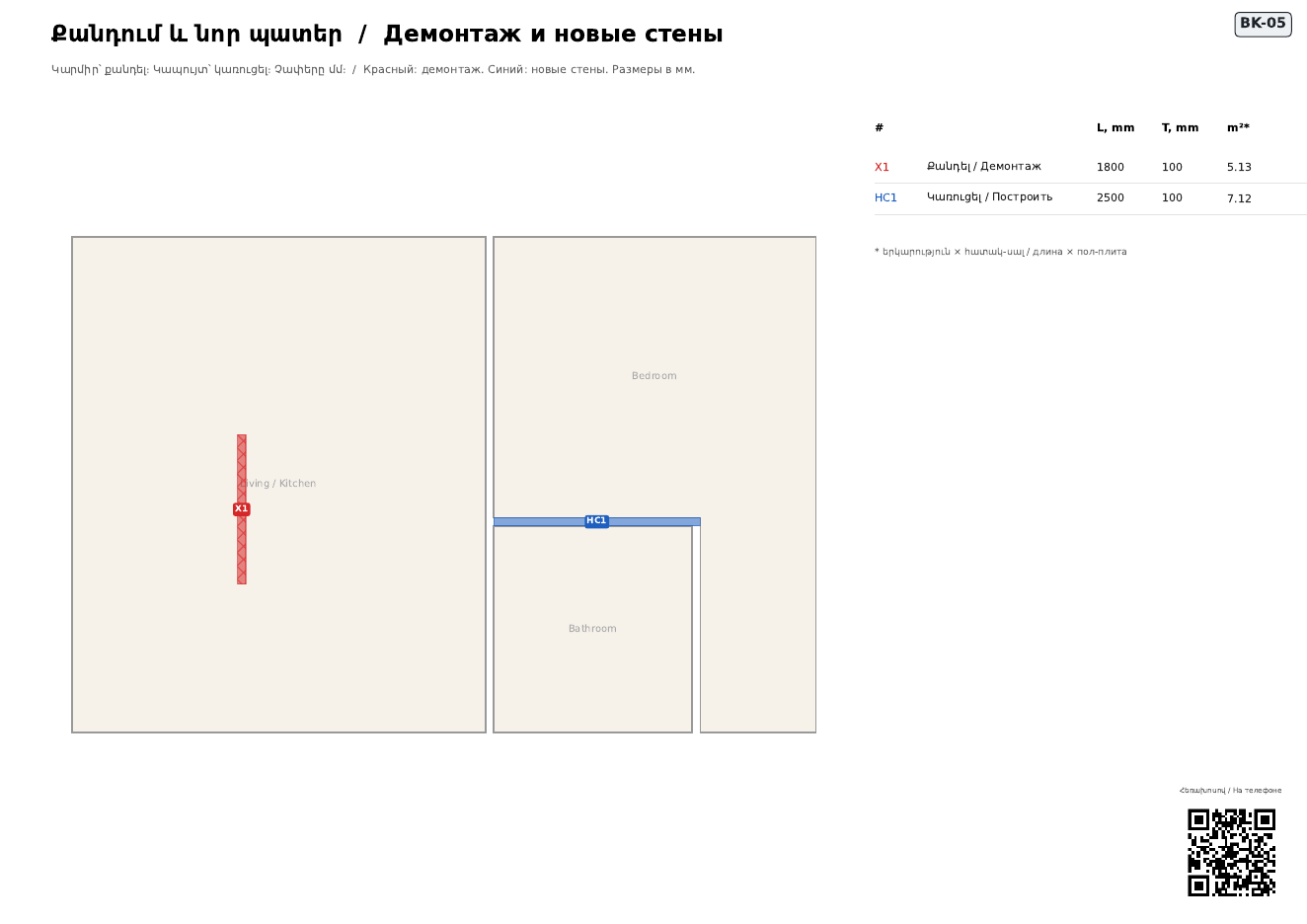
3 rooms (the bedroom is L-shaped), 43 points: sockets, switches, lights, water, heating, AC. One socket has no height on purpose.
1 error (the socket without height) blocks the sheets. Warnings (for example sockets left at the default height) are only for you to look at.
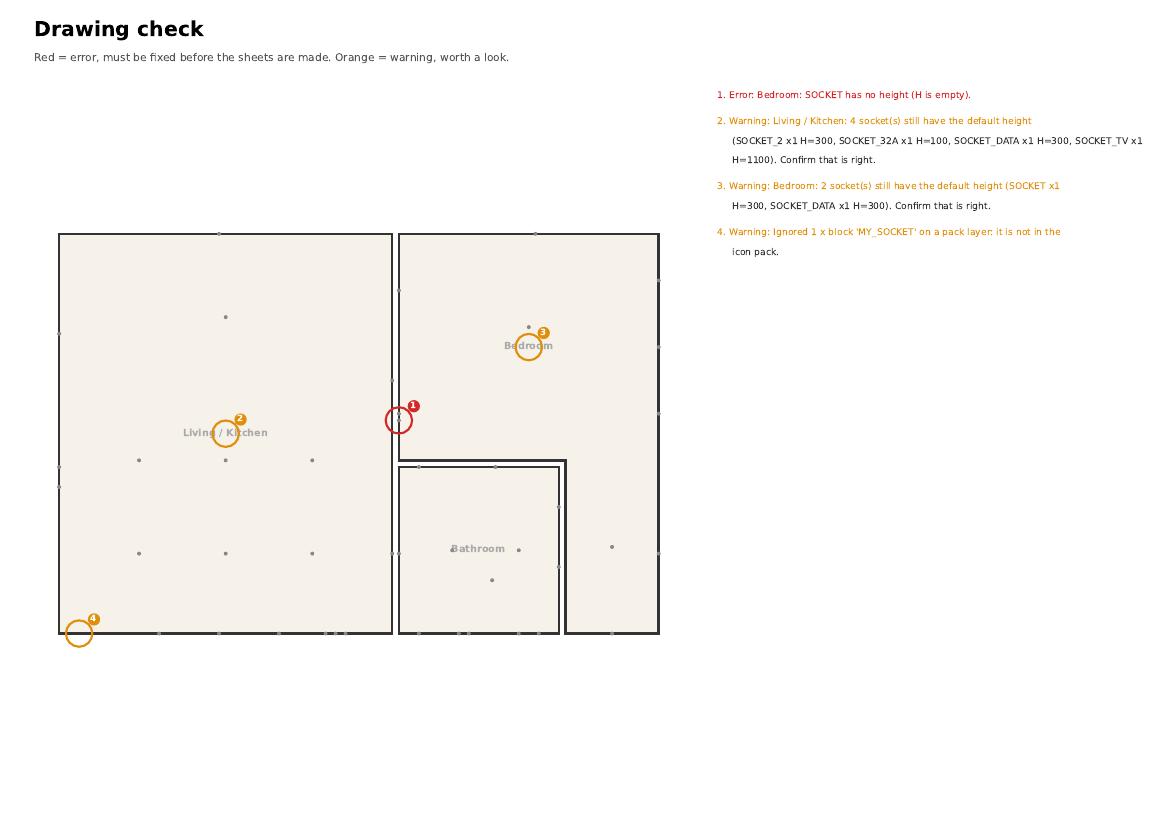
Here: set H=300 on that socket. Takes a minute.
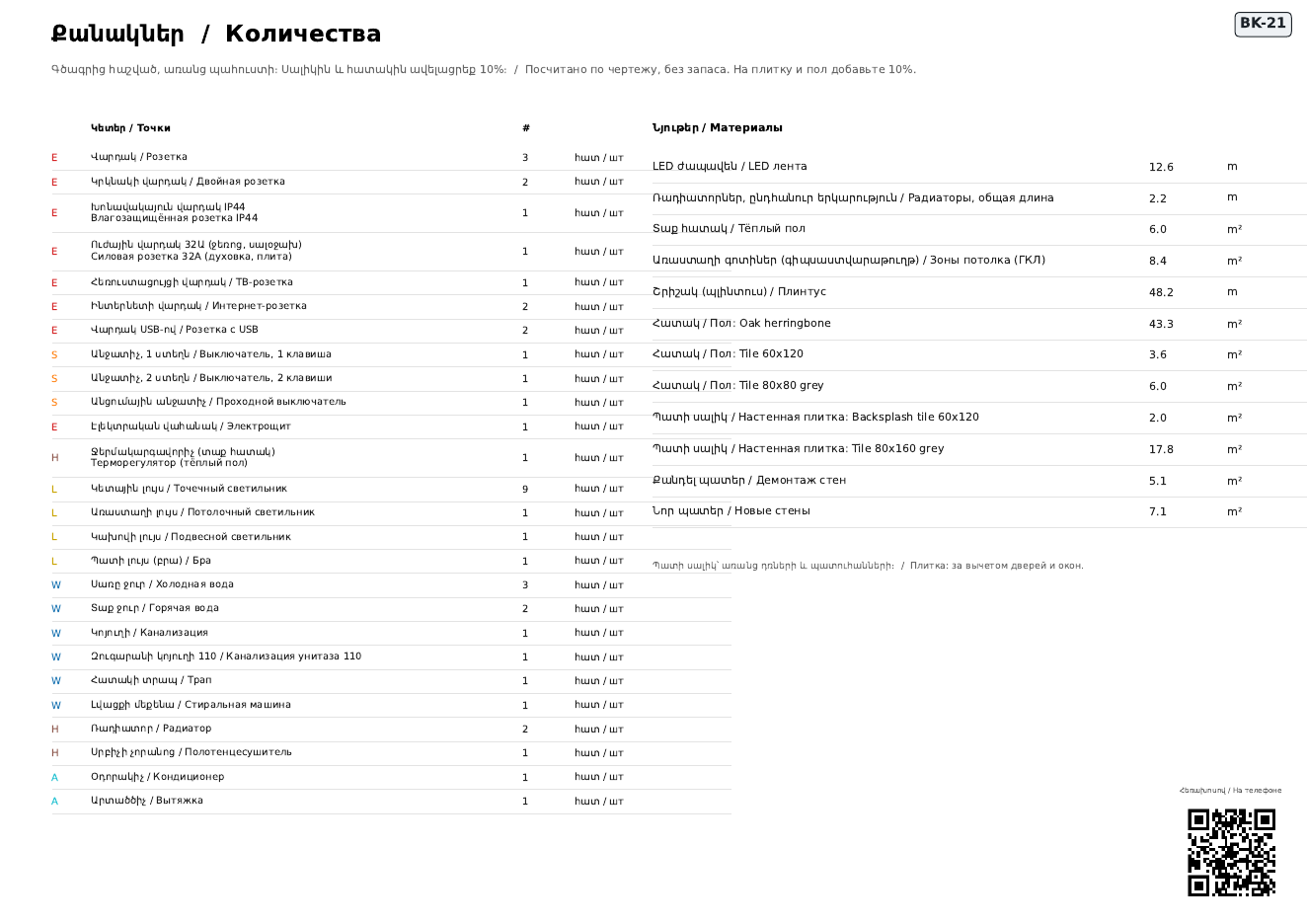
21 pages for this flat: cover with project data and totals, what each sign means, numbered plan, demolition and new walls, ceiling per room (levels, lights, LED), floor (materials, heated floor, drains), water and heating per room, every wall with heights, distances and wall tiles, all points per room with notes, doors and windows, and quantities to buy.
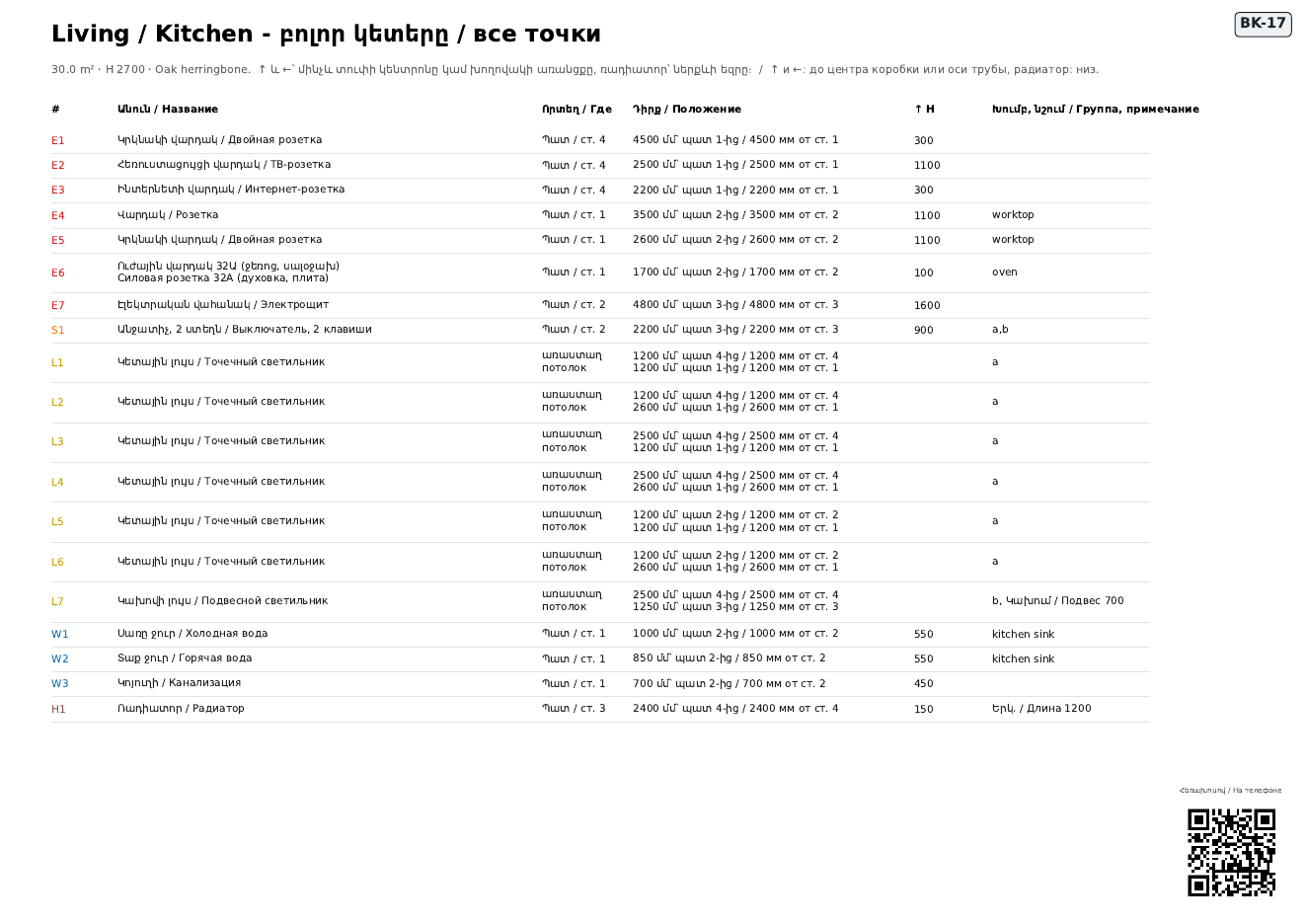
Rooms (areas, perimeters, wall m²), electrical, lighting, plumbing, heating, doors and windows. The first rows of the electrical sheet:
| # | Wall | H | ||
|---|---|---|---|---|
| E1 | Living / Kitchen | Socket, double | 4 W | 300 |
| E2 | Living / Kitchen | TV socket | 4 W | 1100 |
| E3 | Living / Kitchen | Data / internet socket | 4 W | 300 |
| E4 | Living / Kitchen | Socket, single | 1 S | 1100 |
| E5 | Living / Kitchen | Socket, double | 1 S | 1100 |
| E6 | Living / Kitchen | Power socket (oven, hob) 32A | 1 S | 100 |
| S1 | Living / Kitchen | Switch, 2 keys | 2 E | 900 |
| E7 | Living / Kitchen | Electrical panel | 2 E | 1600 |
| W1 | Living / Kitchen | Cold water point | 1 S | 550 |
| W2 | Living / Kitchen | Hot water point | 1 S | 550 |
| … | ||||
Scan the QR code or open the link: zoom the plan with two fingers, switch electrics / water / heating on and off, tap any point to see where it goes and at what height, swipe through every wall of a room.